
An office with inconsistent meeting-room Wi-Fi
Review the layout, equipment and device demand where calls and screen sharing are affected.
Keep people connected across offices and workspaces.
Business Wi-Fi, office networking and connectivity planning for growing workplaces.

We map how people work across the site, which devices connect and where coverage falls short. The network plan accounts for layout, bandwidth needs, guest access and future changes.
Good office connectivity depends on layout, equipment placement and the demands of everyday work. We review where staff need reliable connections for calls, file transfers and shared devices.
Office Wi-Fi planning needs to reflect how people actually use the space. A meeting room that works well with two laptops may struggle when a full team joins a call and shares files. We review device demand and the parts of the office where stable connections have the greatest impact on day-to-day work.
For an office network upgrade, we can also document which areas need wired connections, where equipment can be mounted and how changes should be scheduled around staff who rely on the connection.
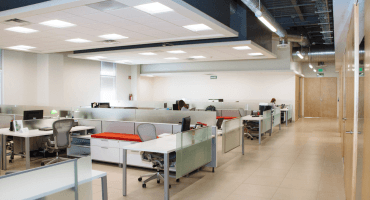
For an office move or expansion, we document coverage, equipment and guest access requirements early. After changes, validation can cover the work areas and devices that matter most to your team.
Review the layout, equipment and device demand where calls and screen sharing are affected.
Document who needs network access, which resources they require and what equipment supports the plan.
Network infrastructure planning can also cover shared printers, meeting-room equipment and guest access. For a new office, it helps to identify where equipment will sit and who will manage configuration changes after the move.
Bring your floor plan, office headcount, internet details and known weak spots.
Identify meeting rooms, shared equipment and other locations where connectivity is essential.
Yes. We can review where and when coverage drops, then identify equipment, placement or configuration changes to evaluate.
Yes. Where the equipment supports it, guest access can be configured separately from staff resources.
Yes. We can review the new layout and document the connectivity and equipment needed before the move.
We agree which locations, devices and activities to test. Results can be documented alongside equipment settings and any follow-up work required to support the office.
Tell us what you need from networks & connectivity and where you’d like to start.
Share a few details about your project.
Let’s explore the right way forward.